


MirrorLink App for Car
4.31.25K Reviews
App Specs
- Version
- 200.1.1
- Updated On
- License
- Free
- Downloads
- 1,000,000+
- Developer
- Boss Inc
- Categories
- Libraries & Demo
- Platform
- Android
Screenshots
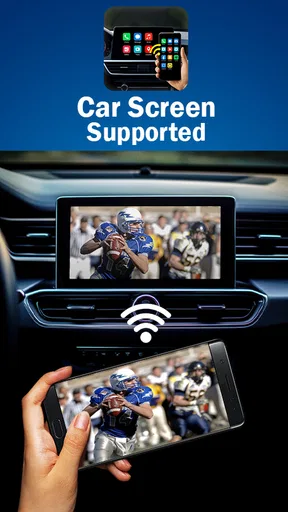
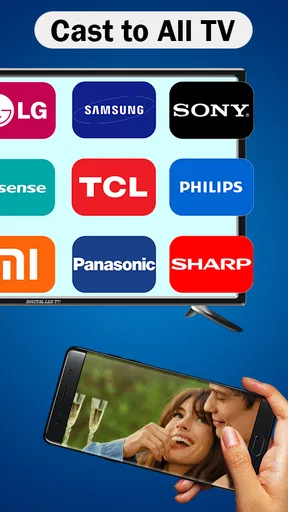
 Analysis by AppCompare
I’d treat MirrorLink App as a bridge for drivers who want selected phone functions on a compatible car display, rather than as a general-purpose phone-mirroring tool. Its appeal is practical: make navigation, calls, and audio easier to reach in the car, without handling a phone while driving. That setup can feel refreshingly direct when the phone and vehicle work well together, but compatibility is the first thing I’d check before planning around it.
Check the match before expecting speed
The app is a free driving-connection utility from Boss Inc, in the Libraries & Demo category. It has a 4.3 average from around 19,000 ratings and more than 1 million installs, which suggests that plenty of people have tried it, but those figures can’t tell you whether it will suit your particular phone and dashboard. MirrorLink depends on both sides of the connection: a supported phone and a car that supports the technology. I would confirm that pairing before installing it as the solution to a daily commute problem.
When the connection is compatible and established, the idea is straightforward: use the car’s display for suitable phone content instead of repeatedly reaching for the handset. I wouldn’t assume that the app makes every action instantaneous, though. A car display, phone, cable connection, and the app all contribute to how responsive the experience feels. If a map takes a moment to appear or an input doesn’t register immediately, that may be a system-level bottleneck rather than something a quick tap can fix.
What happens during a busy drive
The most useful test is not opening the app while parked; it’s deciding whether it helps when several small needs come up together. Imagine heading across town with navigation running, a podcast playing, and an incoming call. Having those tasks available through the vehicle can reduce the temptation to pick up the phone, which is the real benefit I’d look for. I’d set the route and audio before pulling away, then use the car controls or voice features only when it’s safe and necessary.
That workflow also sets a sensible limit. A mirrored or connected display doesn’t make every phone activity suitable for driving, and a larger screen can still distract if you start browsing or adjusting things at the wrong moment. I’d keep the trip to essential actions—directions, audio, and calls—and make changes while parked whenever possible. The app’s value is less about giving you more to do and more about making a few useful tasks easier to handle without holding the phone.
Stability, interruptions, and recovery
For a daily routine, reliability matters more than a long feature list. Before depending on MirrorLink for an unfamiliar journey, I’d try it on a short, familiar drive. That gives you a chance to see how your own phone and car behave, whether the display responds comfortably, and how the connection handles the way you normally use navigation and audio. A brief trial is more useful than assuming another driver’s experience will match yours.
If the display freezes, disconnects, or feels slow, don’t try to troubleshoot while moving. Pull over safely first, then check the connection and restart the setup only when you’re stationary. It’s also wise to keep the phone usable as a fallback for non-driving situations, rather than treating the car screen as the only way to access directions. That simple habit makes a connection hiccup an inconvenience instead of a reason to take risks.
Worth Reading Before You Choose

Flipboard Shows What News Apps Must Do Beyond the Feed

Switching to Android Auto Means Rethinking Your Driving Routine

Google Calendar Makes a Crowded Week Easier to Manage

Ludo King Makes the Most of the Minutes Between Plans

Baby Panda World Brings Quick Play to Modern Phones, but Its Game Library Feels Busy

ESPN’s Live Game View Makes Following Close Games Easier
Device and vehicle fit
The current version is 200.1.1, and the stated minimum operating-system requirement is 7.0. The app is marked for Everyone, and it is free to install, with optional in-app purchases listed at $14.99 per item. I’d still check the app’s compatibility on the device you plan to use and confirm that your vehicle supports MirrorLink; meeting a minimum system requirement alone doesn’t guarantee that the complete phone-and-car combination will work as you hope.
This is also where MirrorLink differs from more familiar built-in phone-car options. Android Auto and Apple CarPlay provide their own supported in-car experiences, while a phone mount keeps the phone visible without requiring a compatible mirroring system. Those alternatives may be a better fit if your car lacks MirrorLink support, if you rely on a platform-specific interface, or if you prefer not to troubleshoot a connection between devices. A mount is less integrated, but it can be the simpler choice when compatibility is uncertain.
Getting Started with MirrorLink
First things first, setting up the MirrorLink App is a breeze. All you need is a compatible smartphone and a car that supports MirrorLink technology. Most recent Android devices should do the trick, but make sure to double-check your car’s compatibility before getting too excited. Once connected, your phone’s interface is mirrored directly onto your car’s display. It’s like having a giant phone screen right there on your dashboard!
Installation is as simple as downloading the app, connecting your phone via USB, and following the on-screen prompts. The connection is stable, and the interface is intuitive, which is a huge plus if you’re like me and get easily frustrated with tech that doesn’t work seamlessly. No more fiddling around with tiny icons on your phone while trying to keep your eyes on the road.
The Interface and Usability
Once you’re set up, the whole thing feels like a magical extension of your smartphone. The app’s interface is clean, clutter-free, and easy to navigate. You’ve got access to your favorite apps, and it’s all optimized for safe driving. The icons are large and easy to tap, so you won’t be squinting at your screen trying to hit the right spot. Trust me, this is a game-changer.
One of my favorite features is the ability to use navigation apps like Google Maps or Waze directly from the car’s display. The maps are clear, and the directions are easy to follow, ensuring you get to your destination without any hiccups. Plus, you can control your music and answer calls without ever having to pick up your phone. How’s that for convenience?
Enhanced Driving Experience
The overall driving experience with MirrorLink is significantly improved. You can focus on the road, knowing that your apps are just a glance away. The app also supports voice commands, which is perfect for making quick calls or sending messages without taking your hands off the wheel. Just a quick "Hey Google" and you’re good to go!
And let’s not forget about the entertainment factor. Whether you’re into podcasts, audiobooks, or your favorite music playlists, MirrorLink has got you covered. The audio quality is fantastic, and you can easily switch between different media sources with just a few taps.
Limitations to Consider
Of course, like any app, it’s not without its quirks. Some users have reported occasional lag, especially with older car models. It’s nothing too disruptive, but it’s something to keep in mind. Additionally, not all apps are MirrorLink compatible, so you might not get access to every single app on your phone. But hey, the essentials are there, so it’s a small price to pay for the added safety and convenience.
Also, while the app works great with most Android phones, iOS users might feel a bit left out, as MirrorLink primarily caters to Android devices. But with Apple’s CarPlay, iOS folks have their alternative, so it’s all good in the automobile hood.
Who I’d recommend it to
I’d point this app toward an Android user who already has a MirrorLink-compatible car and wants a familiar route-and-audio routine on the dashboard. It may be especially useful for someone who regularly drives the same commute: once the connection and preferred apps are sorted, the benefit is having fewer reasons to touch the phone. It’s less compelling for an occasional driver whose vehicle does not support the system, or for anyone expecting the app to make every phone app available in the car.
A small practical tip is to prepare before setting off: connect the phone while parked, choose the route, start the audio you want, and check that the display and sound are behaving as expected. If you share a vehicle, agree on a simple routine for disconnecting your phone at the end of the drive, so the next person isn’t left wondering why the display is showing a previous connection. These are modest habits, but they reduce avoidable fiddling at the start of a trip.
Performance verdict
My overall impression is that MirrorLink App makes most sense as a focused convenience, not a guarantee of a faster or more capable dashboard. Speed and stability will depend on the phone, the car, and their connection, so I’d judge it in my own vehicle rather than by promises of a universally smooth experience. It can be worthwhile when the pairing is compatible and the main goal is easier access to essential driving tasks; if setup proves unreliable or the car doesn’t support it, a familiar alternative such as Android Auto, CarPlay, or a securely positioned phone mount is the more sensible route.
Final Thoughts
In a nutshell, the MirrorLink App is a fantastic addition to any tech-savvy driver’s toolkit. It’s all about enhancing your driving experience while keeping you safe and connected. If your car supports it, I’d say go for it without hesitation. It’s like having your phone on autopilot, and who wouldn’t want that?
So, if you’re looking to upgrade your in-car experience, give MirrorLink a shot. It’s user-friendly, practical, and, most importantly, makes driving a whole lot safer. Download it, try it out, and hit the road with a newfound sense of digital freedom!
Pros
- Seamless integration with car systems.
- Supports a wide range of apps.
- User-friendly interface.
- Enhances driving safety.
- Low latency and fast response.
Cons
- Limited to compatible vehicles.
- Requires constant updates.
- Some apps may not be supported.
- Initial setup can be confusing.
- Potential connectivity issues.
FAQs for MirrorLink App for Car
What is MirrorLink and how does it work in my car?
MirrorLink is a connectivity technology that allows you to mirror your smartphone’s display on your car’s infotainment system. This enables you to access apps, navigation, music, and calls directly from your car's dashboard. It requires a MirrorLink-compatible vehicle and smartphone, and setup is typically straightforward through a USB connection.
Is my smartphone compatible with MirrorLink?
Not all smartphones are compatible with MirrorLink. Generally, many Android devices support it, but it’s essential to check your phone’s settings or manufacturer’s website for compatibility details. Unfortunately, most iOS devices do not support MirrorLink, so iPhone users might need to explore alternative solutions like Apple CarPlay.
Are all apps on my phone accessible through MirrorLink?
No, only MirrorLink-certified apps can be accessed. This is to ensure safety and usability while driving. Popular apps like navigation tools and music players often have MirrorLink versions. Always check the MirrorLink app store or your car’s infotainment system for available apps before hitting the road.
Do I need a special cable or adapter to use MirrorLink?
Typically, you just need a standard USB cable to connect your smartphone to the car's infotainment system. However, it’s crucial to ensure the cable is in good condition and compatible with your phone. Some cars may offer wireless connectivity, but this varies by model and manufacturer.
Can I use MirrorLink while driving safely?
Yes, MirrorLink is designed to enhance safety by minimizing distractions. It simplifies the interface and limits access to apps that could be distracting. Always prioritize safety and only use essential functions while driving. Ensure your focus remains on the road, and adjust settings as needed before you start your journey.


